
Setting up a static website with GitHub Pages and a custom domain is one of the quickest ways to get a project online. However, if configured incorrectly, it leaves your domain vulnerable to being hijacked by malicious actors. Let's break down how the architecture works, where the vulnerability lies, and how to secure it.
1. How GitHub Hosts a Website
Before looking at the security risks, it helps to understand the standard GitHub Pages deployment pipeline.
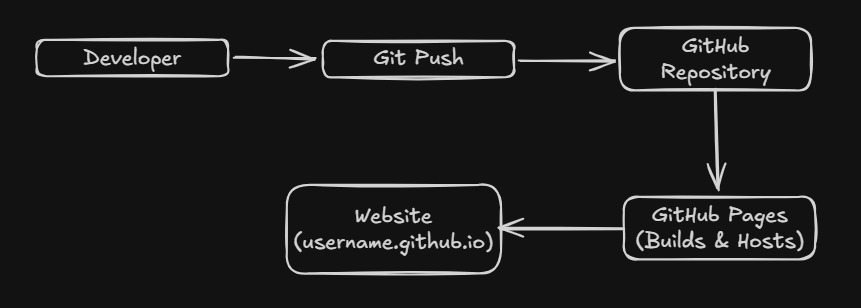
- The Developer pushes code to a GitHub repository.
- GitHub Pages takes the files and builds the site.
- GitHub hosts the compiled files on its infrastructure.
- Visitors can then access the website through a default URL (e.g.,
developer.github.io).
2. How a Custom Domain Resolves to GitHub
When you want to use a professional URL (like example.com) instead of the default
.github.io subdomain, you rely on the Domain Name System (DNS).
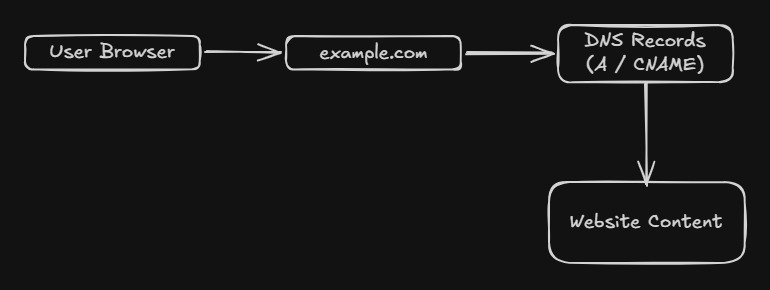
- A user types
example.cominto their browser. - The DNS Records (usually an A or CNAME record) tell the browser that GitHub serves this domain.
- The browser connects to GitHub Pages.
- GitHub routes the request to your specific repository and returns the website content.
3. The Threat: How an Attacker Can Claim the Domain
Here is where things can go wrong. A major risk occurs when your DNS records point to GitHub, but you haven't properly configured or verified the domain on GitHub's end. This is commonly known as a Domain/Subdomain Takeover.
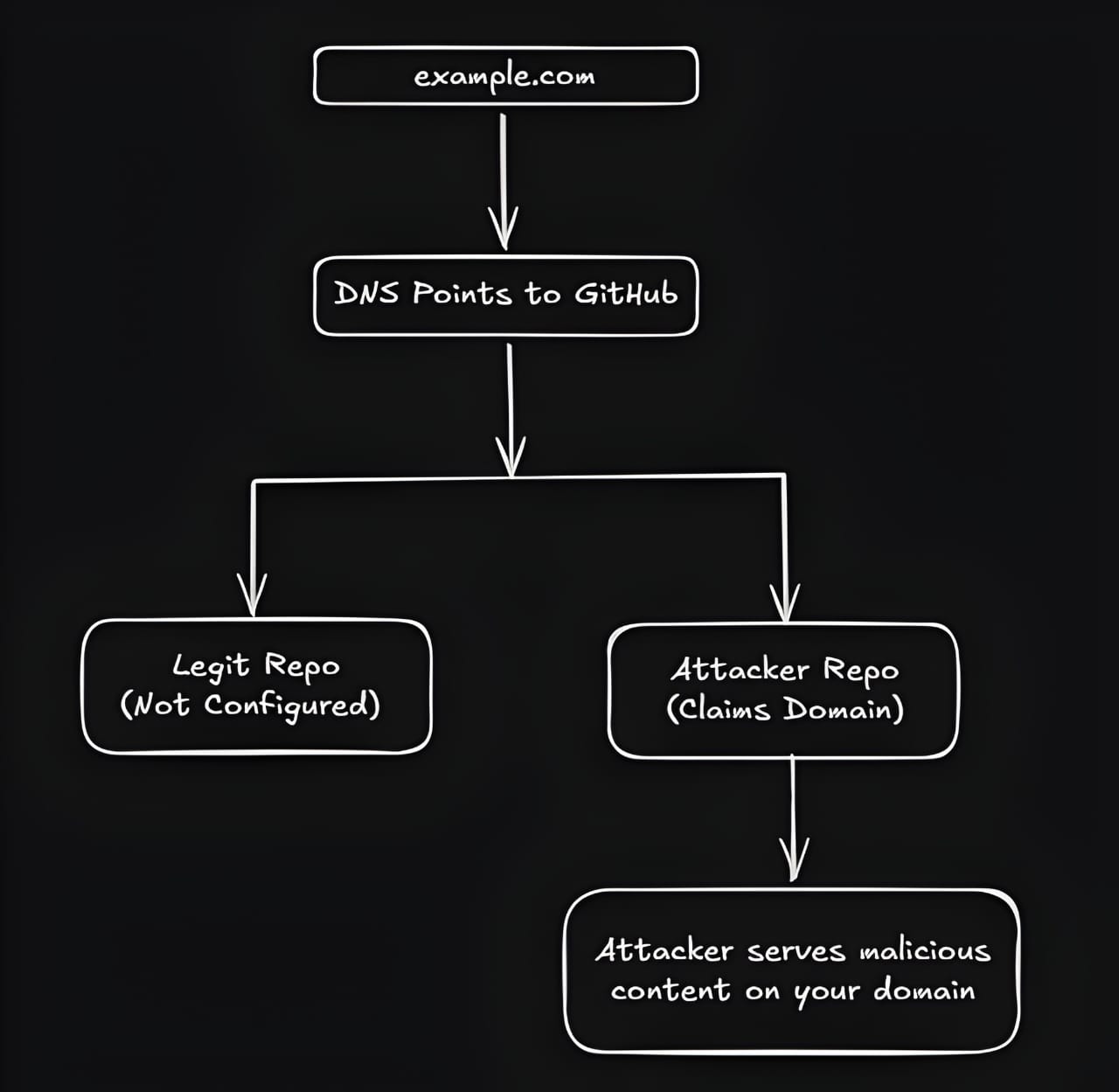
Because there is no default verification stopping someone else from adding your domain to their repository settings, the attack vector looks like this:
1. Your DNS already points to GitHub Pages.
2. You (the original owner) delete your repository, or forget to add the custom domain in your repo settings and mainly developer didn't verify your domain with the with your Github account.
3. An attacker creates their own GitHub Repository.
4. They addexample.comas their custom domain in their settings.
5. GitHub accepts the claim, and now their code is served on your domain.
4. The Fix: Verify Domain Ownership
To prevent this, GitHub introduced a way to verify that the person attempting to attach a custom domain to a repository actually owns the domain at the DNS level.
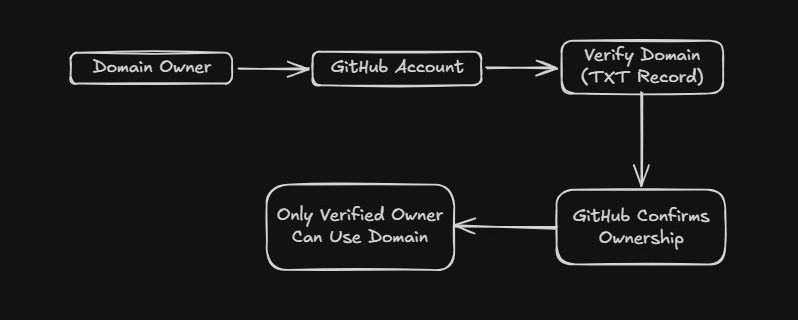
Here is the step-by-step process to lock down your domain:
- Open your GitHub account settings (not the repository settings).
- Navigate to Settings → Pages → Verified Domains.
- Add your domain (Example:
istegecb.in). - GitHub will provide you with a unique TXT record. It will look something like this:
_github-pages-challenge-yourusername- Log into your DNS provider (Cloudflare, GoDaddy, etc.) and add this TXT record.
- Go back to GitHub and click Verify.
Result: Your domain is now verified. GitHub will block any other GitHub account from attempting to claim and route traffic from this domain, completely neutralizing the takeover risk.
Summary
Git Push → GitHub Pages Hosts Site → DNS Points Domain to GitHub → Unverified Domain = Takeover Risk → Verify Domain via TXT Record → Only Owner Can Claim Domain.